> ## Documentation Index
> Fetch the complete documentation index at: https://docs.weflayr.com/llms.txt
> Use this file to discover all available pages before exploring further.
# Model benchmarks
> Find the models that answer as well as yours, for less, on your own calls.
A benchmark takes the calls of one of your [call names](/api/gateway/responses#weflayr-fields), replays them on other models, and has [evaluators](/product/evaluators) compare each answer with your current model's. It then recommends the models that keep your quality, ready to become a [routing strategy](/product/routing-strategies).
 A benchmark replays your prompts, so your calls must keep their content (the default, see `store_message_content` on the [gateway](/api/gateway/responses#weflayr-fields)). It is paid from your [credits](/product/credits).
Benchmark calls you logged elsewhere, from a CSV.
Pick a call, the models to try and how to judge them.
Read the results and turn them into a routing strategy.
## Benchmark list
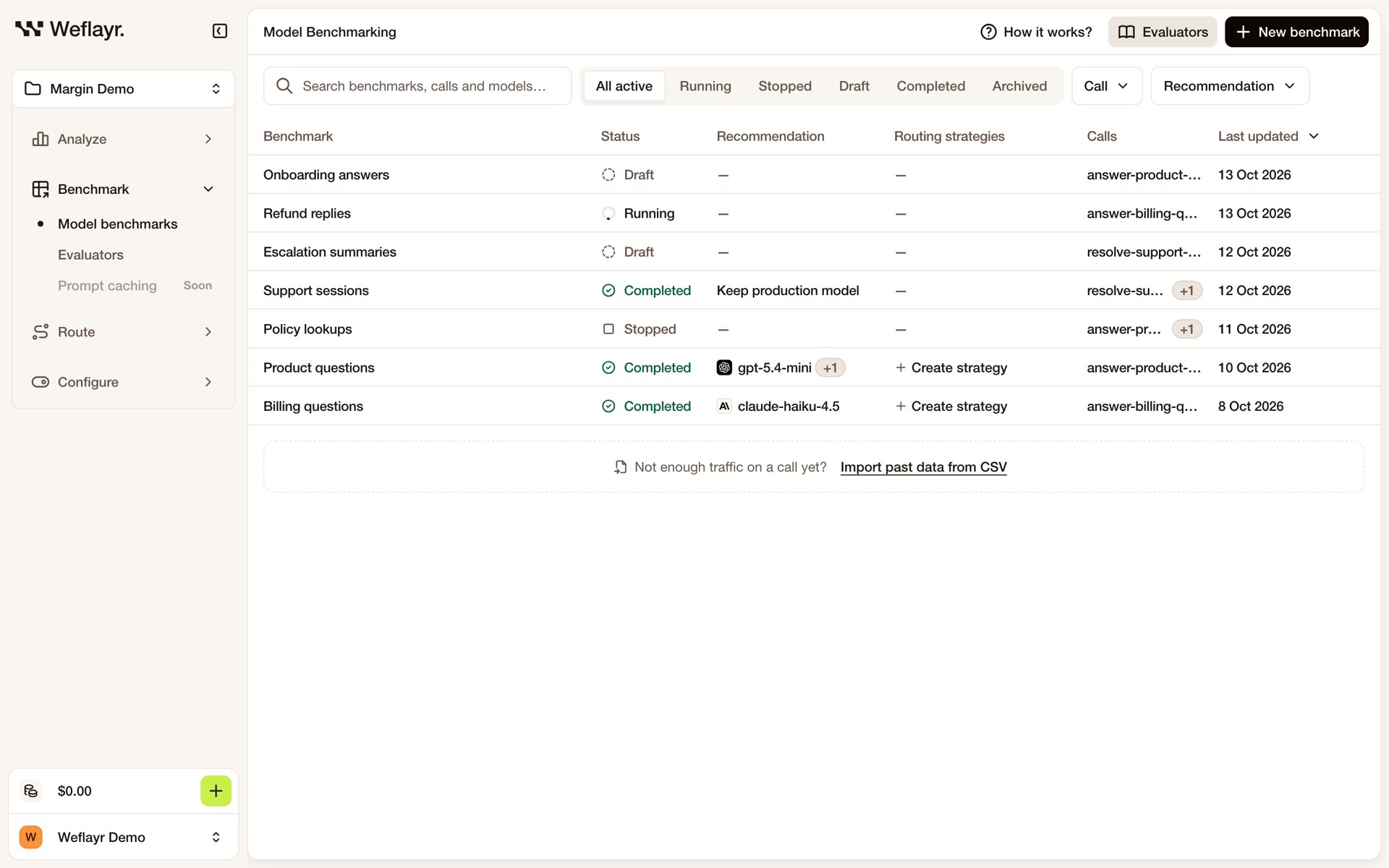
Each benchmark shows its status (Draft, Running, Stopped, Completed, Archived), its recommendation and the routing strategies made from it. From a row's menu, continue a draft, stop or resume a run, export a finished benchmark as a CSV, or archive it.
This documentation is built and hosted on [Mintlify](https://mintlify.com), a developer documentation platform.
A benchmark replays your prompts, so your calls must keep their content (the default, see `store_message_content` on the [gateway](/api/gateway/responses#weflayr-fields)). It is paid from your [credits](/product/credits).
Benchmark calls you logged elsewhere, from a CSV.
Pick a call, the models to try and how to judge them.
Read the results and turn them into a routing strategy.
## Benchmark list
Each benchmark shows its status (Draft, Running, Stopped, Completed, Archived), its recommendation and the routing strategies made from it. From a row's menu, continue a draft, stop or resume a run, export a finished benchmark as a CSV, or archive it.
This documentation is built and hosted on [Mintlify](https://mintlify.com), a developer documentation platform.