> ## Documentation Index
> Fetch the complete documentation index at: https://docs.weflayr.com/llms.txt
> Use this file to discover all available pages before exploring further.
# Alerting
> Get notified by email or Slack when your AI cost or margin crosses a threshold you set.
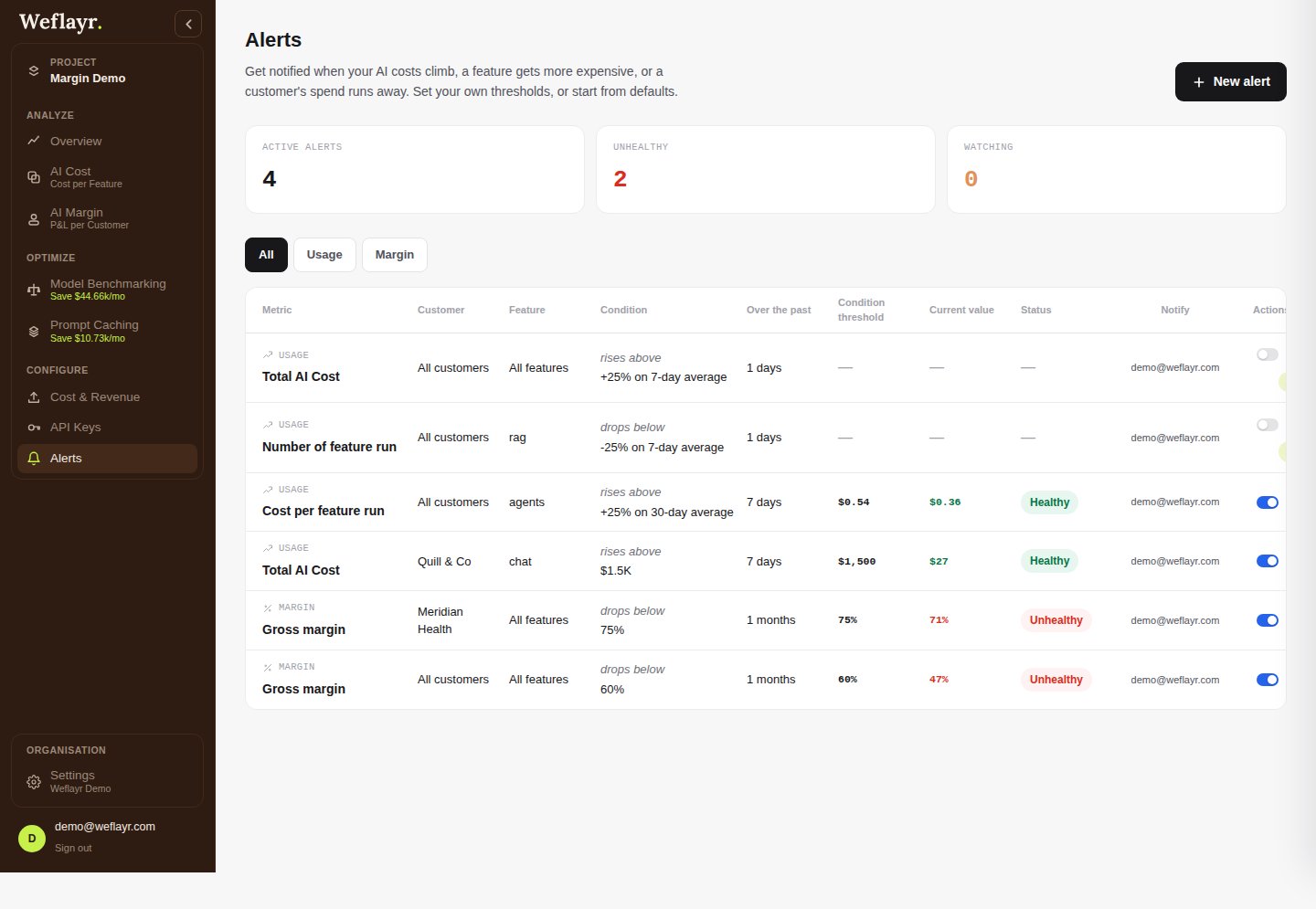
Alerts watch a cost or margin metric and notify you when it crosses a threshold. Each one starts as **Healthy**, then reads as **Watch** as the metric approaches the threshold, or **Triggered** once it crosses it. Every project starts with a few suggested alerts, off by default, listed alongside your own.
 ## Create an alert
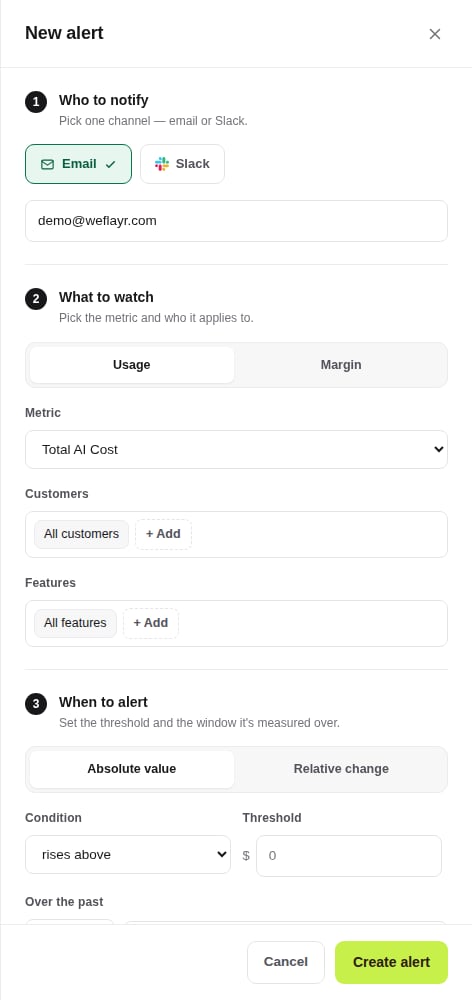
Click **New alert**, then pick a metric: a **usage** metric (Total AI Cost, Cost per feature run, Tokens Consumed, Number of feature run) or a **margin** metric (Gross margin, Adoption). Narrow it to specific customers or features, or leave it at "All".
## Create an alert
Click **New alert**, then pick a metric: a **usage** metric (Total AI Cost, Cost per feature run, Tokens Consumed, Number of feature run) or a **margin** metric (Gross margin, Adoption). Narrow it to specific customers or features, or leave it at "All".
 ## Get notified by email or Slack
Pick one channel per alert. Email needs no setup. Slack needs the organization connected first, from **Settings**, then you pick the channel and can send a test message before saving.
## Get notified by email or Slack
Pick one channel per alert. Email needs no setup. Slack needs the organization connected first, from **Settings**, then you pick the channel and can send a test message before saving.
 ## Absolute vs relative thresholds
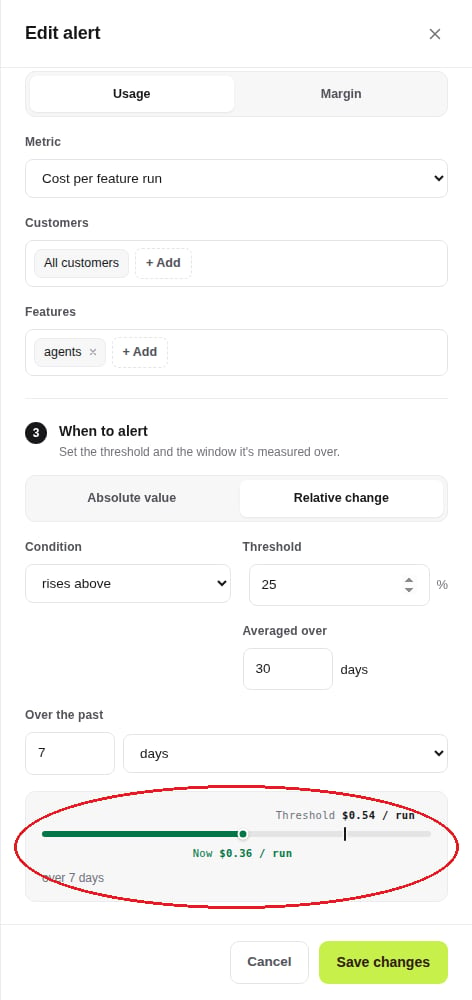
An **absolute** threshold is a flat number, e.g. gross margin drops below 60%. A **relative** threshold is a percentage offset from the metric's trailing average, e.g. cost per feature run rises 25% above its 30-day average. Either way, the drawer shows where the metric currently sits against the threshold.
## Absolute vs relative thresholds
An **absolute** threshold is a flat number, e.g. gross margin drops below 60%. A **relative** threshold is a percentage offset from the metric's trailing average, e.g. cost per feature run rises 25% above its 30-day average. Either way, the drawer shows where the metric currently sits against the threshold.